You are using an unsupported browser. Please update your browser to the latest version on or before July 31, 2020.
close
You are viewing the article in preview mode. It is not live at the moment.
Home > Sign in help > How to login to Censitrack
How to login to Censitrack
print icon

To connect to Censitrack you will need to be connected to our network. If you are on a laptop connect to TSC wifi. 

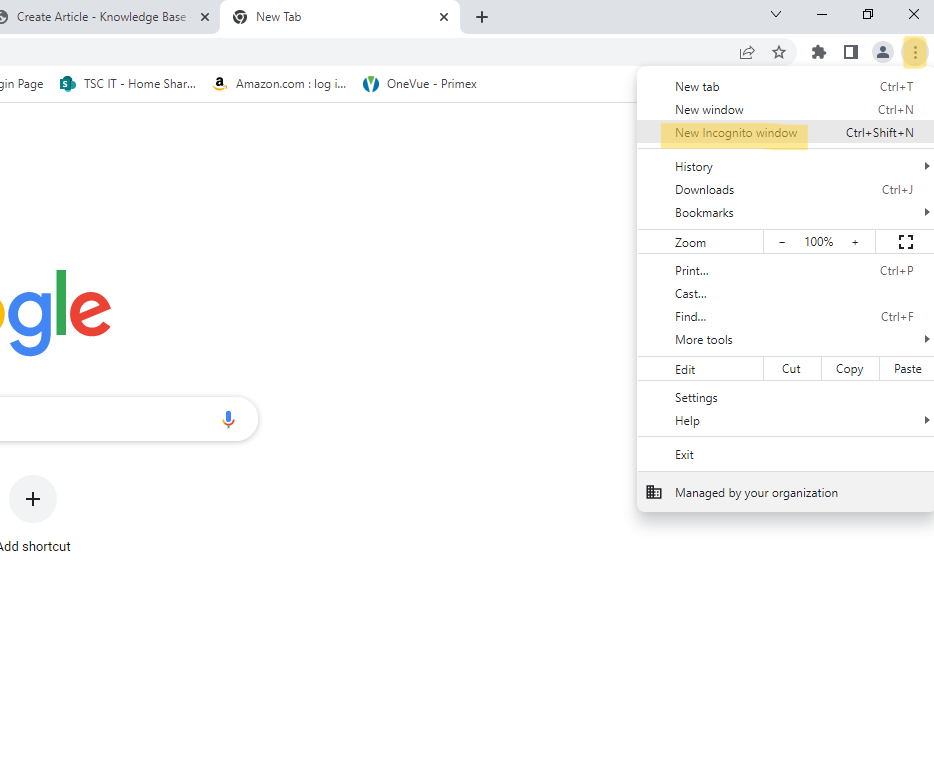
Step 1.  Launch google chrome and open up an incognito browser. To do this open the highlighted 3 dots in the picture bellow and select new incognito window.


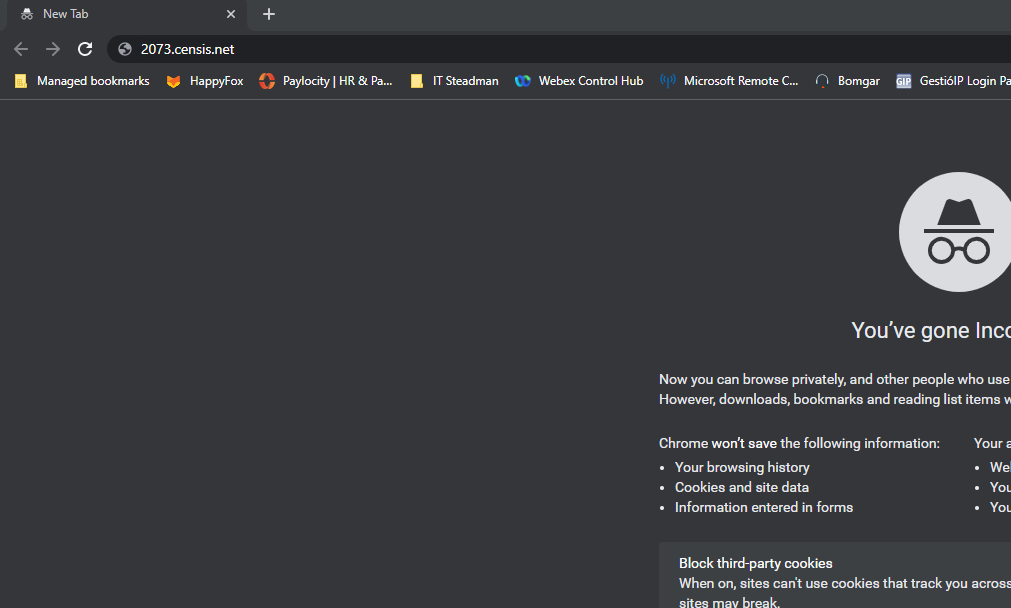
Step 2.  In the search bar of the incognito tab type 2073.censis.net and hit enter. If you are not in an incognito window this will fail to load and will display an error.


Step 3. You should now be at the login screen for Censitrack. Enter your credentials: 'username'@spsc.com, and enter your network password. (The same one used to login). You should now be logged into Censitrack. 

Feedback
0 out of 0 found this helpful

scroll to top icon